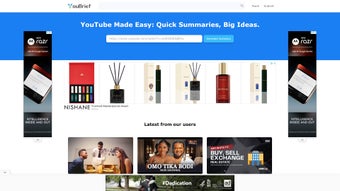

Download YouBrief – AI YouTube Summarizer, Fast, Free, Secure
Overview
YouBrief is an AI‑powered web application that transforms lengthy YouTube videos into concise, readable summaries. Built for busy professionals, students, and lifelong learners, the tool leverages advanced natural‑language processing to extract the core ideas from technology updates, business frameworks, educational lectures, and more. Instead of spending minutes or hours watching a full‑length video, users receive a clear, bullet‑pointed recap within seconds.
Each summary includes a “click to read more” link, allowing deeper exploration of topics without losing the speed advantage. The service is entirely cloud‑based, meaning there’s no software to install locally, and it works on any modern browser. By delivering the essential information in a digestible format, YouBrief makes YouTube learning more accessible, time‑efficient, and suitable for fast‑paced environments where staying informed is critical.
Key Features and Capabilities
- AI‑Driven Summarization: Uses state‑of‑the‑art transformers to generate human‑like summaries that capture the main points of any video.
- One‑Click “Read More” Expansion: Allows users to dive deeper into specific sections without leaving the summary view.
- Multi‑Domain Knowledge Base: Trained on a diverse set of topics, from tech trends to academic lectures, ensuring relevance across industries.
- Cross‑Platform Accessibility: Runs on Windows, macOS, Android, iOS, and any device with a modern browser.
- Secure Cloud Processing: All video URLs are processed anonymously, with no personal data stored beyond the session.
- Free Tier & Premium Upgrade: Provides unlimited summaries for free users, while premium plans unlock faster processing and batch summarization.
- Instant Sharing Options: Export summaries to PDF, copy to clipboard, or share directly via email or collaboration tools.
The feature set is deliberately designed to address the pain points of information overload. By automating the extraction of salient points, YouBrief reduces cognitive load, improves retention, and speeds up decision‑making. The “click to read more” functionality respects the user’s desire for depth while preserving the brevity of the initial output. Moreover, the free tier makes the tool attractive for students on a budget, while the premium tier satisfies enterprises that need high‑volume, rapid summarization for internal training or market research.
Installation, Usage Instructions & Compatibility
Getting Started – No Installation Required
YouBrief is a web‑based service, so there is nothing to download or install on your device. Simply navigate to youbrief.com, create a free account, and you’re ready to start summarizing. The onboarding wizard guides you through linking your YouTube account (optional) and explains how to paste video URLs for instant processing.
Step‑by‑Step Workflow
- Copy the YouTube video URL: Locate the video you want to summarize and copy its URL from the address bar.
- Paste into YouBrief: In the dashboard, click “New Summary,” paste the URL, and press “Generate.”
- Review the AI summary: Within seconds, a concise summary appears, highlighted with key takeaways and timestamps.
- Expand if needed: Click “Read More” under any bullet point to reveal additional context or a full paragraph.
- Export or share: Use the toolbar to download a PDF, copy text, or share via email.
System Requirements
YouBrief runs on any operating system that supports modern browsers such as Chrome, Firefox, Edge, or Safari. This includes Windows 10/11, macOS Monterey or later, Android 8.0+, and iOS 13+. Because the heavy lifting happens on YouBrief’s servers, the local device only needs a stable internet connection and a browser that supports JavaScript and HTML5.
For users who prefer a desktop shortcut, you can create a Progressive Web App (PWA) by clicking “Install App” in the browser’s menu. This provides a native‑like experience without sacrificing the cloud‑based speed and security of the service.
Pros, Cons & Expert Review
Pros
- Fast, AI‑generated summaries in seconds.
- Free tier with unlimited usage for casual users.
- Secure, cloud‑only processing—no local data storage.
- Cross‑platform accessibility—works on Windows, macOS, Android, and iOS.
- Expandable “Read More” sections for deeper insight.
- Export options (PDF, copy, share) enhance workflow integration.
Cons
- Premium features (batch summarization, priority processing) require a subscription.
- Summaries rely on video transcription quality; poor audio may affect accuracy.
- Limited offline capability—requires an internet connection.
- Complex technical videos may need manual verification of key points.
YouBrief stands out in the crowded AI‑summarization market by focusing exclusively on YouTube content. Its speed, ease of use, and thoughtful “read more” feature make it a practical companion for anyone who consumes video knowledge daily. While the free version is generous, power users will benefit from the premium tier’s faster queues and batch processing. Overall, YouBrief delivers on its promise of turning hours of video into minutes of insight, and its secure, browser‑based architecture ensures a hassle‑free experience across all major operating systems.
Frequently Asked Questions
How does YouBrief generate its summaries?
YouBrief uses transformer‑based language models trained on millions of video transcripts. When you submit a YouTube URL, the system extracts the audio transcript, feeds it to the AI, and returns a concise, human‑readable summary that highlights the main ideas and key timestamps.Is there a limit to how many videos I can summarize for free?
The free tier offers unlimited summarizations, but premium users receive priority processing and batch‑summarize up to 20 videos at once. Free users may experience standard queue times during peak usage.Can I use YouBrief on mobile devices?
Absolutely. YouBrief is fully responsive and works on Android and iOS browsers. You can also add the site as a Progressive Web App for a native‑like experience on smartphones and tablets.What happens to my video data after summarization?
YouBrief processes video URLs anonymously. Transcripts are stored only for the duration of the summarization session and are automatically deleted afterward. No personal or usage data is retained beyond what is needed for analytics and service improvement.Do I need a YouTube account to use YouBrief?
No. While linking a YouTube account can streamline the process of selecting your own videos, you can summarize any public YouTube video by simply pasting its URL—no login required.Conclusion & Call to Action
In an era where video dominates online learning, YouBrief offers a pragmatic solution to the time‑crunch many professionals and students face. Its AI‑driven summarization engine delivers clear, actionable insights within seconds, while the “click to read more” feature ensures depth is never sacrificed. Whether you’re a busy executive needing rapid market updates, a university student trying to digest lecture content, or a lifelong learner seeking efficient knowledge intake, YouBrief bridges the gap between consumption and comprehension.
Ready to transform the way you learn from YouTube? Download YouBrief now, start with the free plan, and experience a smarter, faster way to stay informed. Upgrade to premium when you need batch processing or priority queues, and keep your workflow uninterrupted. Embrace the future of video learning—concise, secure, and always at your fingertips.



.png)



